Mobile Application

The Professional KNX & ETS Mobile Suite

Monitor bus traffic, browse .knxproj files, send group telegrams, and commission devices - on Android, iOS, and Windows.

SharKNX is a professional mobile toolkit for KNX system integrators and installers. Carry ETS-like monitoring, diagnostics, and commissioning capabilities in your pocket - without a laptop on site.

Get it on Google PlayDownload on the App StoreGet it from Microsoft

The app is available in the following languages:

English · German · French · Spanish · Italian

Features

Bus traffic monitor

  • Real-time group value telegram capture with automatic DPT decoding for 30+ data types
  • Filter and analyze traffic patterns on site
  • Export telegrams for remote diagnostics

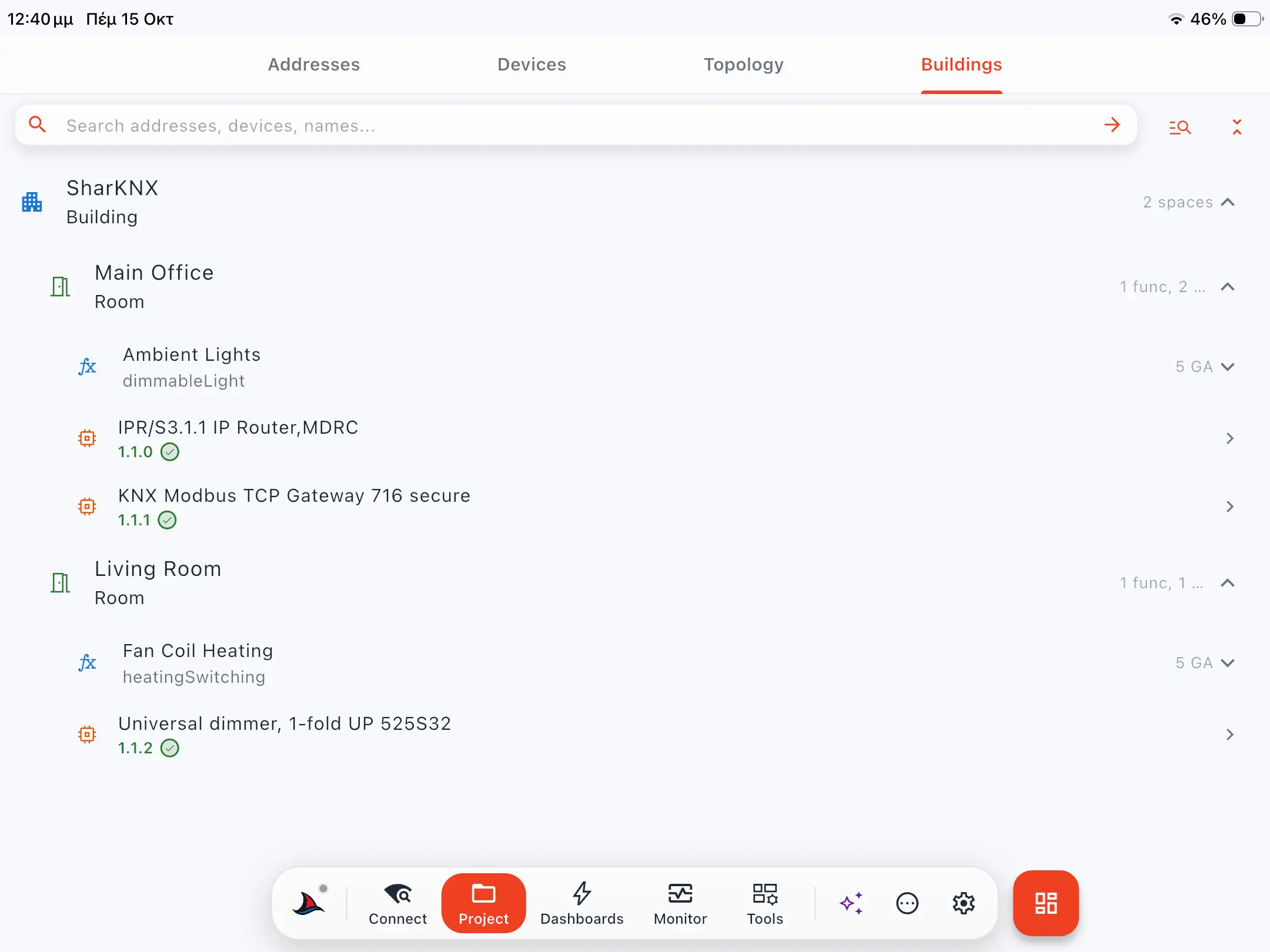
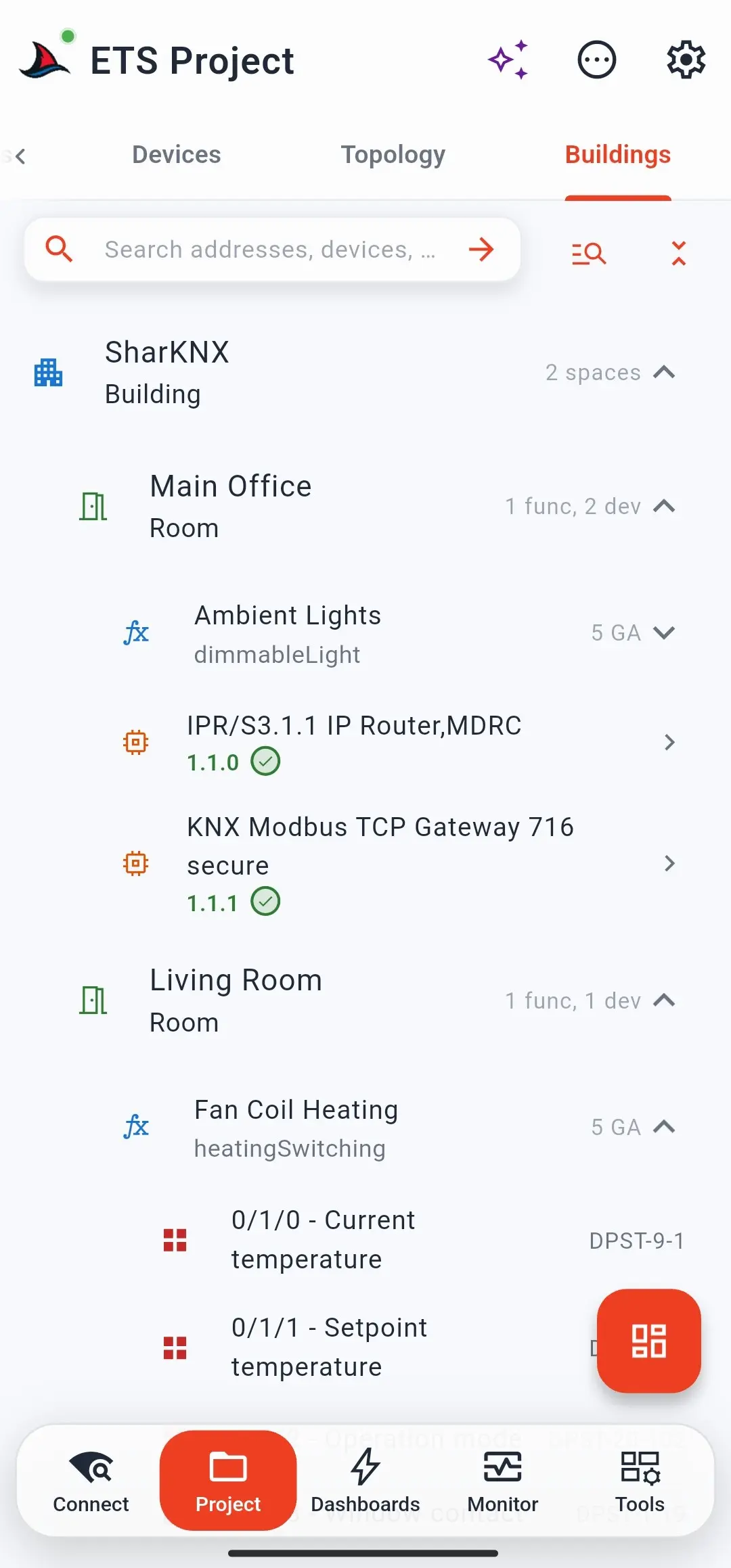
ETS project viewer

  • Import and browse .knxproj files on mobile
  • View group addresses, topology, buildings, and devices
  • Quick reference while working on-site

Send group telegrams

  • GroupValueWrite/Read with full DPT support
  • Switching, dimming, temperature, RGB, and scenes
  • Shark Hunt pages for quick-send actions and monitor filters

Commissioning & diagnostics

  • Discover and connect to KNX IP gateways and routers
  • Device management, programming mode, and bus line scans
  • Program individual addresses by button or serial number

KNX IP & Data Secure

  • KNX IP Secure with credentials from .knxkeys or .knxproj
  • KNX Data Secure telegram support and device management
  • Secure tunneling and routing modes

Gateway discovery

  • Instant gateway discovery on your local network
  • Local-first operation - no cloud required for KNX work
  • Available on Android, iOS, and Windows

Inside SharKNX

SharKNX discovery screen showing KNX IP gateway search on a local network

Discovery

Find KNX IP gateways on your local network

SharKNX project explorer showing group addresses from an imported ETS project

Project

Browse group addresses from imported ETS projects

SharKNX bus monitor displaying decoded KNX group telegrams in real time

Monitor

Watch and decode bus telegrams in real time

SharKNX device management screen showing KNX device information

Management

Inspect devices and manage programming mode

Watch in action from partners

Poseidwn Tech

Video from Poseidwn Tech using SharKNX on a real KNX installation - gateway discovery, project import, bus monitoring, and other core app features.

User reviews

Documentation

Full documentation lives on GitHub - always in sync with the app.

Browse all guides on GitHub

Frequently asked questions

Can I open ETS .knxproj files on my phone?

Yes. SharKNX lets you import and browse .knxproj files on mobile - view group addresses, topology, buildings, devices, and communication objects while working on site.

Does SharKNX require a cloud connection?

No. KNX communication happens on your local network. Your project data stays on your device. Subscription management uses RevenueCat, but day-to-day KNX work does not require a cloud backend.

Does SharKNX support KNX IP Secure and Data Secure?

Yes. SharKNX supports KNX IP Secure (credentials from .knxkeys or .knxproj) and KNX Data Secure for viewing, sending, and managing secure telegrams and devices.

Which platforms is SharKNX available on?

SharKNX is available on Android, iOS, and Windows via Google Play, the App Store, and the Microsoft Store.

Is SharKNX a replacement for ETS?

No. SharKNX is a mobile companion for on-site monitoring, diagnostics, and commissioning - not a full ETS replacement. It is built for professionals who already work with KNX systems.

Can I program KNX devices with SharKNX?

Yes - in part. SharKNX lets you program device individual addresses from your phone, which helps streamline commissioning on larger projects. Full application program download and parameter programming are not currently supported.

Can I check and manage devices on site without booting up my laptop?

For the everyday tasks, yes. Confirm a device is on the bus, read its info, reset it, or toggle programming mode - straight from your phone, while your laptop is still in the van. SharKNX is for the moments when you need an answer now, not after a boot sequence.

What DPT types are supported?

SharKNX automatically decodes 30+ DPT types in the bus monitor and supports full DPT encoding when sending group telegrams - including switching, dimming, temperature, RGB, and scenes.

Which languages does the app support?

SharKNX is available in English, German, French, Spanish, and Italian.

KNX® and ETS® are registered trademarks of KNX Association. SharKNX is developed by OWL Automata and is not affiliated with, endorsed by, or sponsored by KNX Association.