SharKNX opens your ETS project (.knxproj) on your phone, tablet, or PC and turns it into a working tool for the field. You can browse the whole installation, see how devices are linked, and send commands. You can also check and commission devices and read coupler filter tables - all without a laptop running ETS. This page explains what SharKNX does with your project and what it deliberately leaves to ETS.
Your project file stays untouched
Loading a .knxproj into SharKNX is read-only. SharKNX reads the file, extracts what it needs, and never writes to it, so you cannot corrupt your project or create version conflicts with ETS. SharKNX does not connect to ETS and does not need an ETS license.
Password-protected projects are supported - SharKNX asks for the project password when you load it.
The project dashboard and Archive
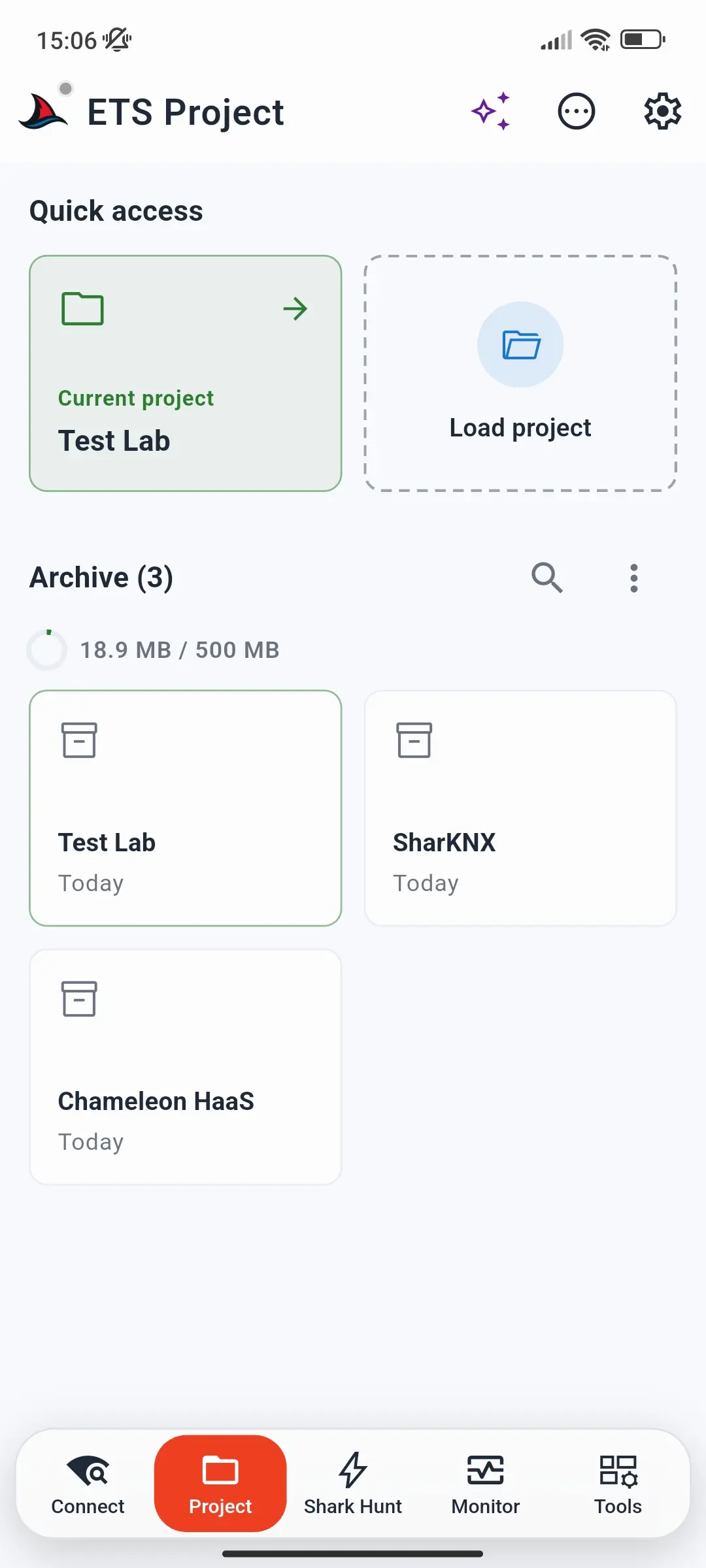
The Project page opens on the project dashboard. Under Quick access you can return to the current project or tap Load project to open a new one.
Every project you load is also kept in the Archive on the dashboard. You can reopen it later in one tap, even when the original file is no longer on your device. From the Archive you can:
- search your archived projects,
- open a project's details - such as when it was created, its number of areas, lines, devices, and group addresses, and its group address format,
- save a copy of the original
.knxprojfile, or remove a project from the Archive.
The Archive can hold up to 500 MB of projects - see Limits.
Browse the whole installation
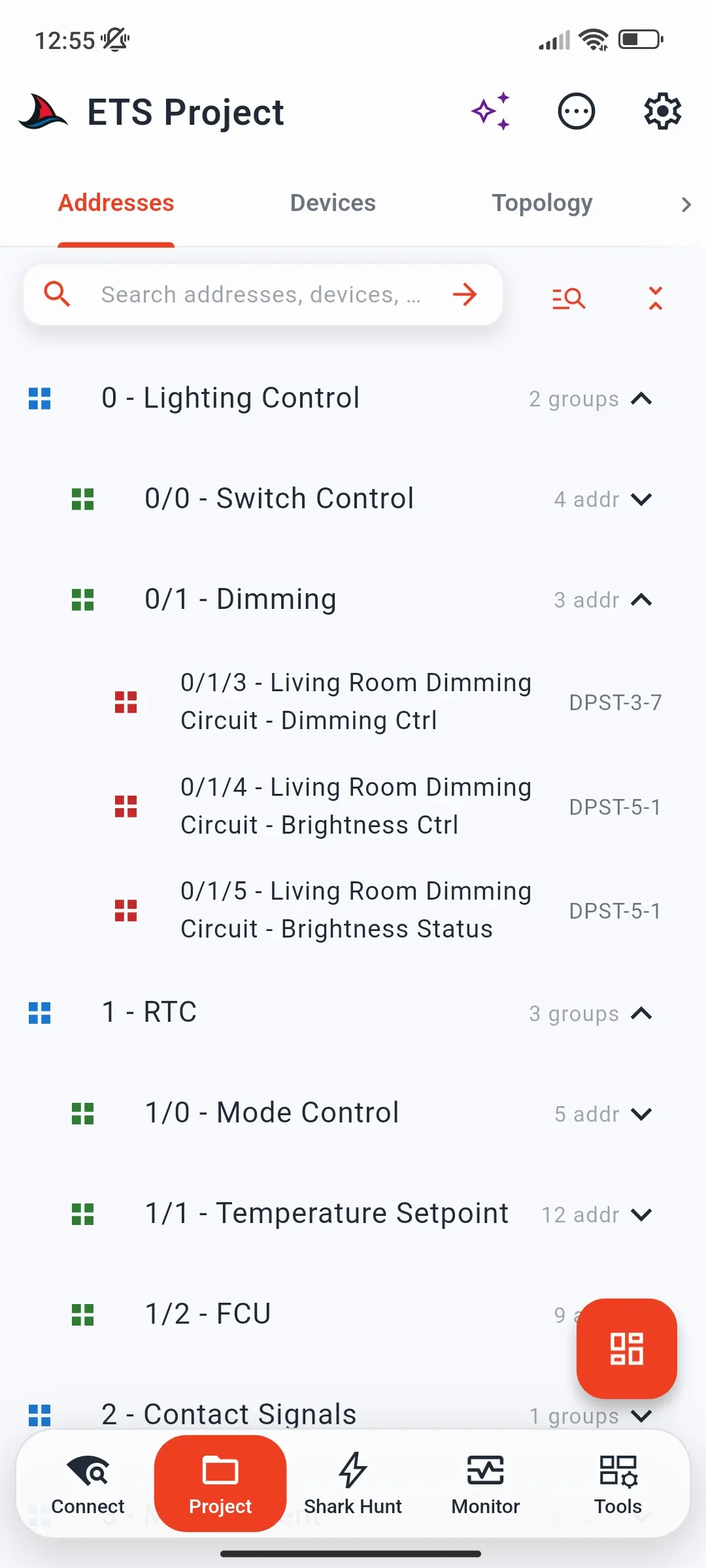
Once a project is loaded, it opens in four tabs that mirror ETS:
| Tab | Shows |
|---|---|
| Addresses | Main, middle, and group addresses with their names and datapoint types |
| Devices | Every device with its individual address, manufacturer, and product |
| Topology | Areas, lines, and the devices on each line |
| Buildings | Buildings, floors, rooms, and the functions and devices in each |
Texts that come from the manufacturers - such as communication object names - can be shown in any of the 24 languages ETS supports; see choosing the language of product texts.
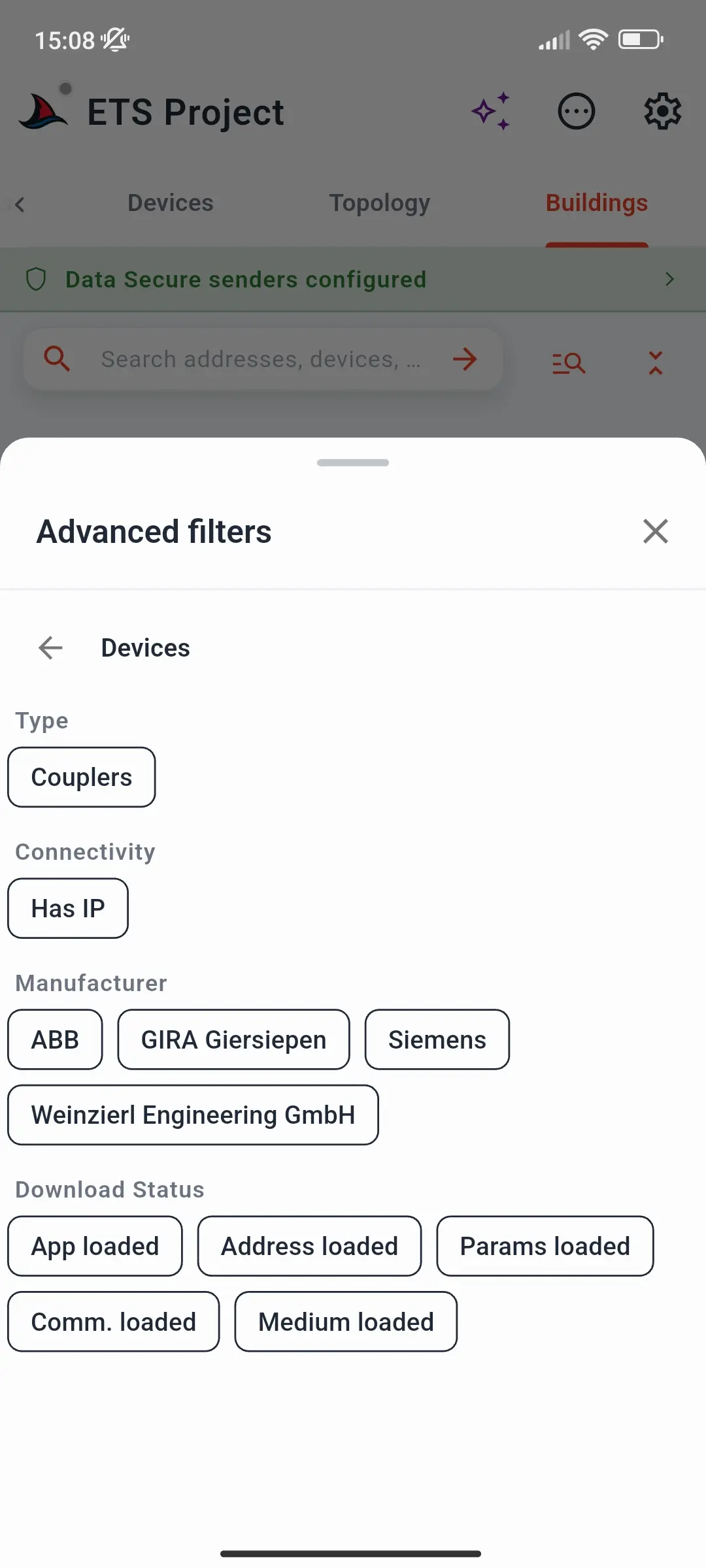
The search bar finds addresses, devices, and names across the project. Advanced filters narrow each tab further:
- Addresses - only KNX Data Secure group addresses, or only certain datapoint types
- Devices - only couplers, devices with an IP configuration, or devices from certain manufacturers
- Devices and Topology - the ETS download status: whether each device's individual address, application program, parameters, group addresses, and medium configuration have been downloaded
- Buildings - certain space types or function types, and only spaces that contain functions or devices
The download-status filter is especially useful during commissioning: filter for devices whose application program has not been downloaded yet, and you have your to-do list on site.
See how everything is connected
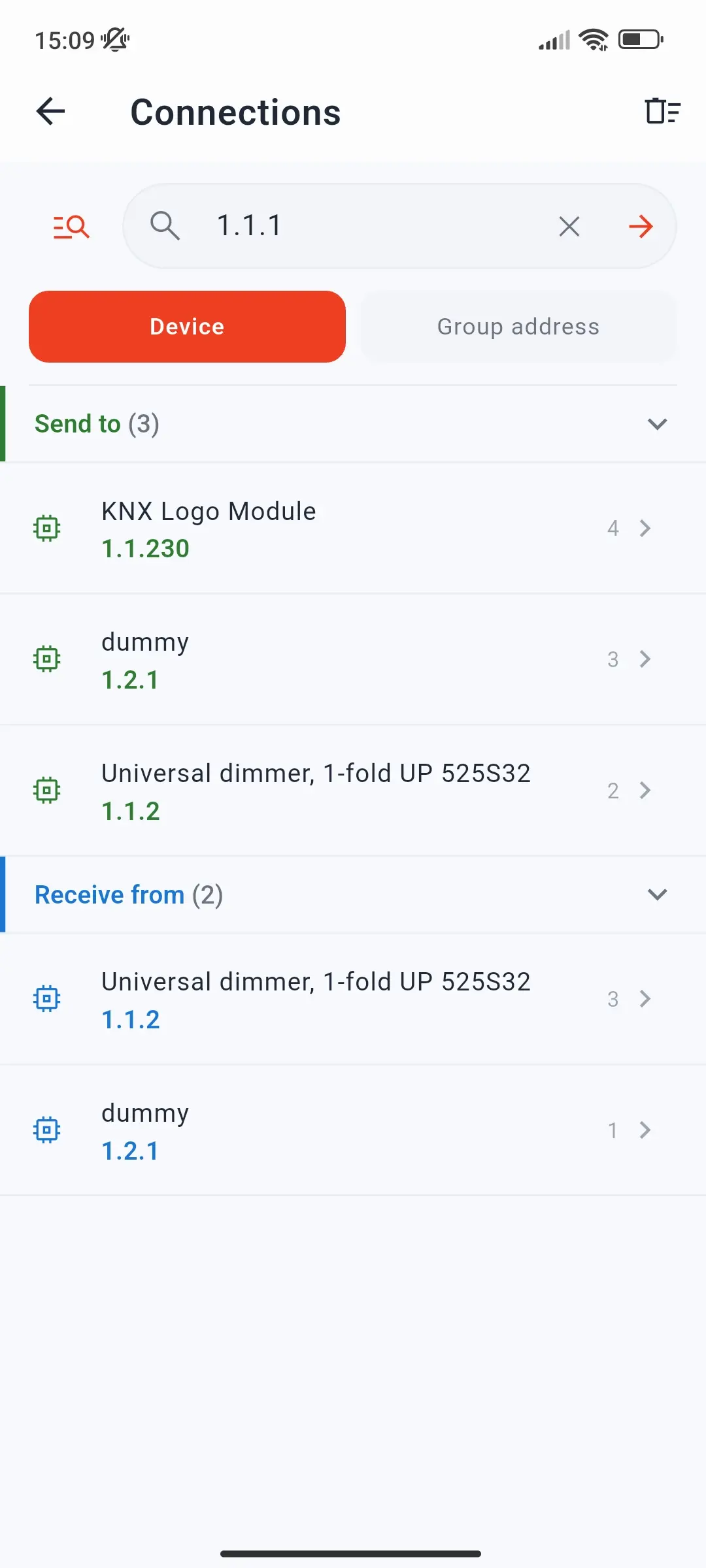
The Connections page answers the question you usually need ETS for: what talks to what? Open it from the ⋯ Actions menu, or from any device's sheet.
- By group address - enter a group address such as
1/2/3to see its senders, receivers, and bidirectional devices. - By device - enter an individual address such as
1.1.5to see which devices it sends to and receives from, and follow the connection paths from device to device.
It is the fastest way to find out why a push button does not switch a light, or which devices are affected before you change something. See the Project Connections page for everything it shows.
Send commands from the project
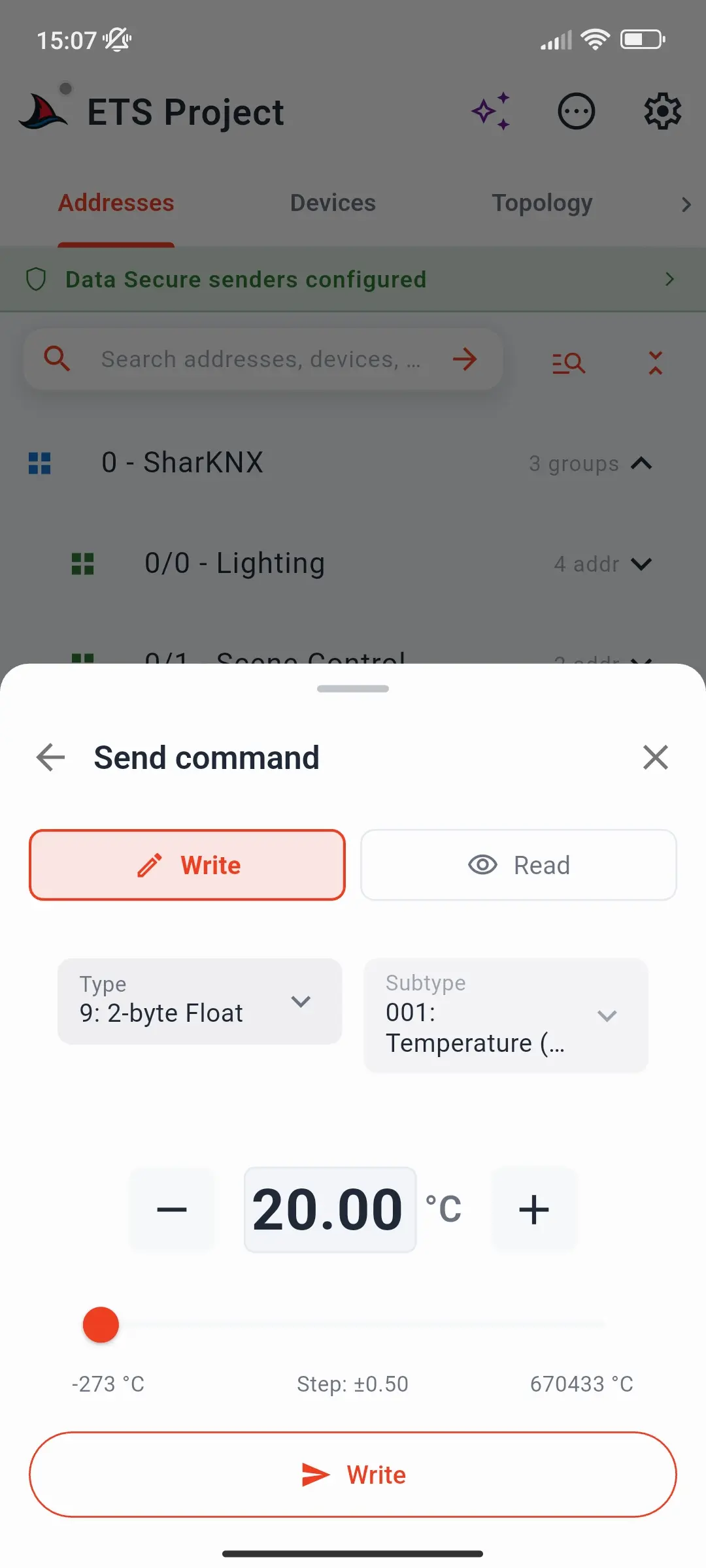
Tap any group address to see its details - address, name, and datapoint type - then tap Send command, choose Write or Read, and send. The datapoint type comes from your project, so you get the right input - a switch, a slider, a colour picker - without choosing anything, and responses to a read appear right in the sheet. No monitor session is needed.
For secured group addresses, SharKNX encrypts the command with the group key from your project - see KNX Data Secure.
Check and commission devices
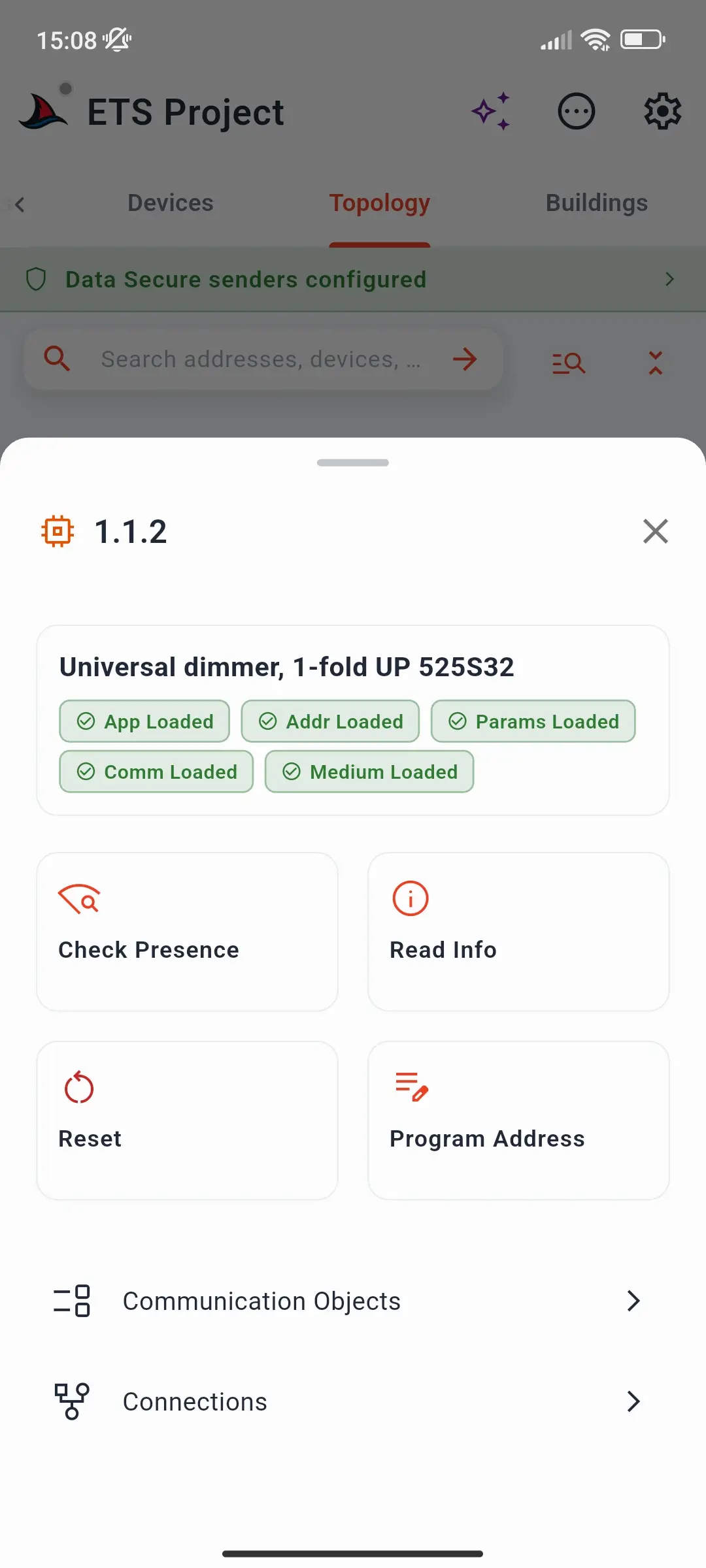
Tap a device in the Devices, Topology, or Buildings tab to open its sheet. It shows the device's ETS download status - App, Addr, Params, Comm, and Medium Loaded - and, with a gateway connected, lets you:
- Check presence - confirm the device answers on the bus
- Read info - read its identity, hardware, firmware, and status
- Reset - restart the device
- Program Address - press the device's programming button when prompted, and SharKNX writes the address from the project
- open its communication objects and its Connections
Because the target address comes from the project, commissioning a new device is a matter of tapping it and pressing its programming button. See Program a Device Address and Inspect Device.
Device operations are a premium feature on Android, iOS, and macOS - see Subscription Plans.
Read coupler filter tables
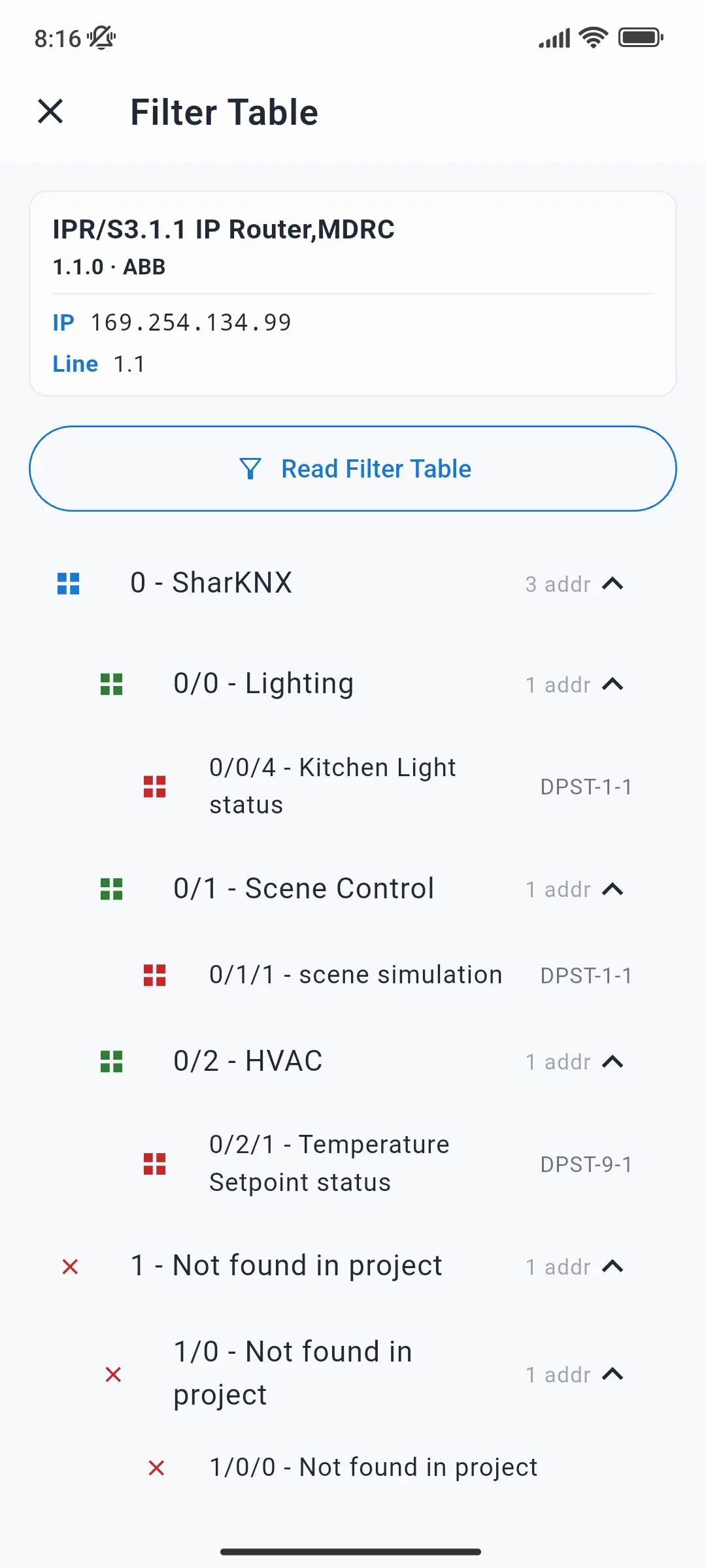
For line couplers and IP couplers, the device sheet offers Read Filter Table. It opens the Filter Table page for the coupler; tap Read Filter Table there and SharKNX reads the table from the device and lists every group address it lets through, named from your project. Addresses that pass the coupler but do not exist in the project are marked Not found in project, revealing leftovers from older project versions. And if a group address you expect is missing from the list, the coupler blocks it - a common cause of telegrams that "disappear" between lines. See Read a Coupler Filter Table.
Communication objects
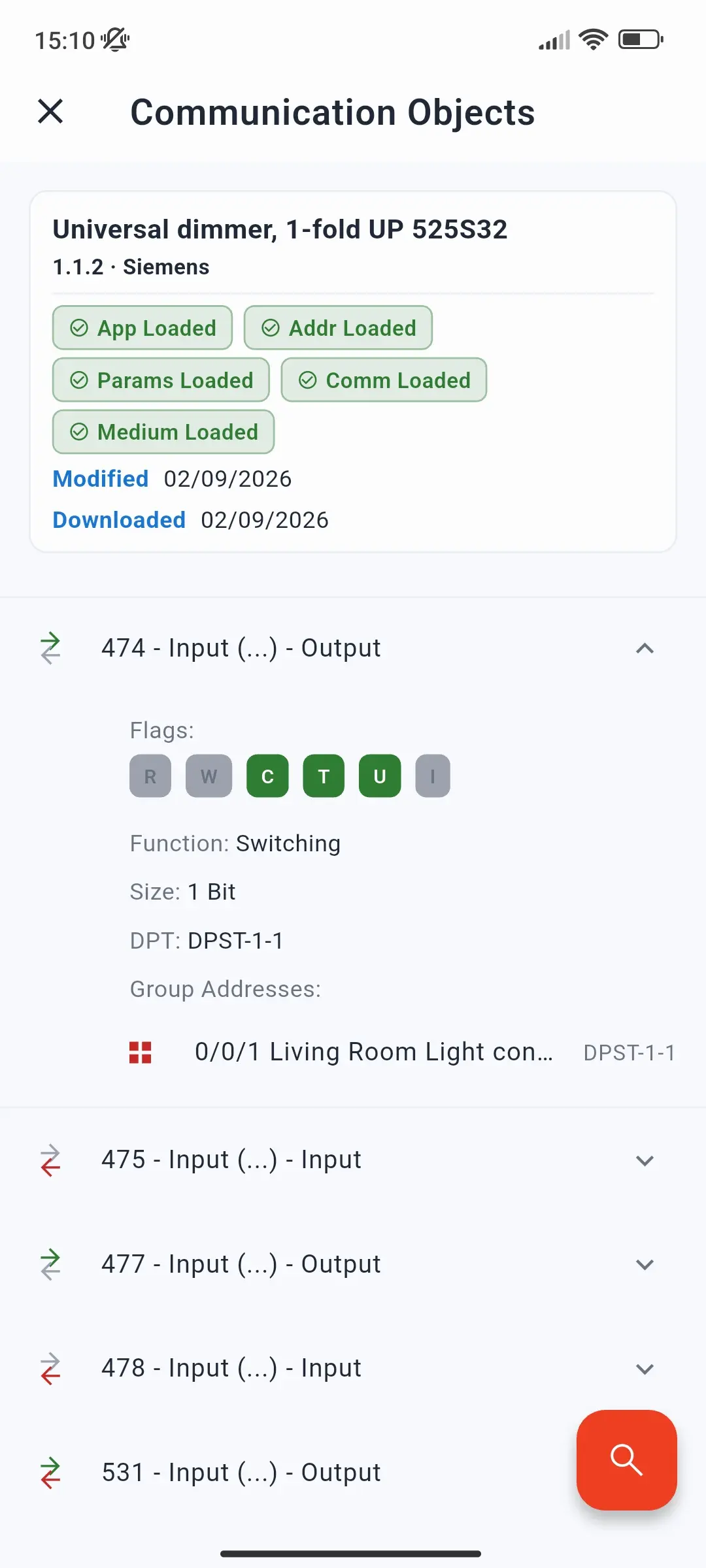
When Load communication objects is enabled in Project Settings (the default), SharKNX also loads the communication objects of every device that has group addresses linked to it. Each device then gets a communication objects page, showing every object's number, name, function, flags, size, and linked group addresses - and you can send to those group addresses directly from there.
Turning the setting off makes loading faster and uses less memory on very large projects; everything else still loads normally.
How the rest of SharKNX uses your project
- Monitor - telegrams show group address names and decoded values instead of raw hex. If you load a project after recording, stop the monitor and use ⋯ Actions → Apply Project Data to name and decode the telegrams already in the list.
- Shark Hunts - pick group addresses, devices, and building spaces from the project when building actions. See Shark Hunts.
- KNX Data Secure - the project's group keys are installed automatically, so secured telegrams are decrypted in the monitor. See KNX Data Secure.
- Assistant - requests like Read 1/2/3 or questions about devices and rooms are answered from your project - see Use the Assistant.
What SharKNX does not do
SharKNX is a field tool, not a replacement for ETS:
- No parameter changes - device parameters can only be changed and downloaded with ETS.
- No application program download - devices get their application software from ETS.
- No changes to the project - SharKNX never edits the
.knxproj. Programming an individual address writes to the device on the bus, not to the file.
Keeping project data current
SharKNX works from the version of the project you loaded. After you change the project in ETS, export it again and load the new file - it replaces the current project and is added to the Archive.
Supported formats
| Format | Supported |
|---|---|
.knxproj from ETS5 |
✅ |
.knxproj from ETS6 |
✅ |
| Password-protected projects | ✅ - password asked on load |
.knxpkg product catalogues and other ETS formats |
- |
One project is active at a time; the others wait in the Archive.
Further reading
- Load an ETS Project - step by step
- Project Page - every tab and button
- Send Commands - all the ways to send in SharKNX